Sound Familiar?
Managing assets with spreadsheets works... until it doesn't.
Spreadsheet Sprawl
Duplicate entries, version conflicts, and 'which sheet is the latest?' confusion.
“I spend more time tracking than managing.”
Asset Visibility Gaps
Lost assets, surprise failures, and ghost inventory costing you thousands.
“Where is that projector we bought last year?”
Audit Nightmares
Last-minute scrambles and compliance risks when auditors come calling.
“Auditors are coming and I'm not ready.”
Multi-Location Chaos
Inconsistent processes and siloed data across different sites.
“Each location does it their own way.”
One Platform. Complete Visibility.
Go from asset chaos to clarity in 30 days.
Every asset in one place, with a QR label and a full history.
- QR & barcode scanning with printable labels
- Assign and unassign assets to teammates
- Complete activity history on every asset
- Custom fields per category for your own data
Recurring schedules so servicing never slips through the cracks.
- Recurring maintenance schedules per asset
- Track jobs from due to in-progress to done
- Due-soon and overdue alerts
- Service notes and costs on every job
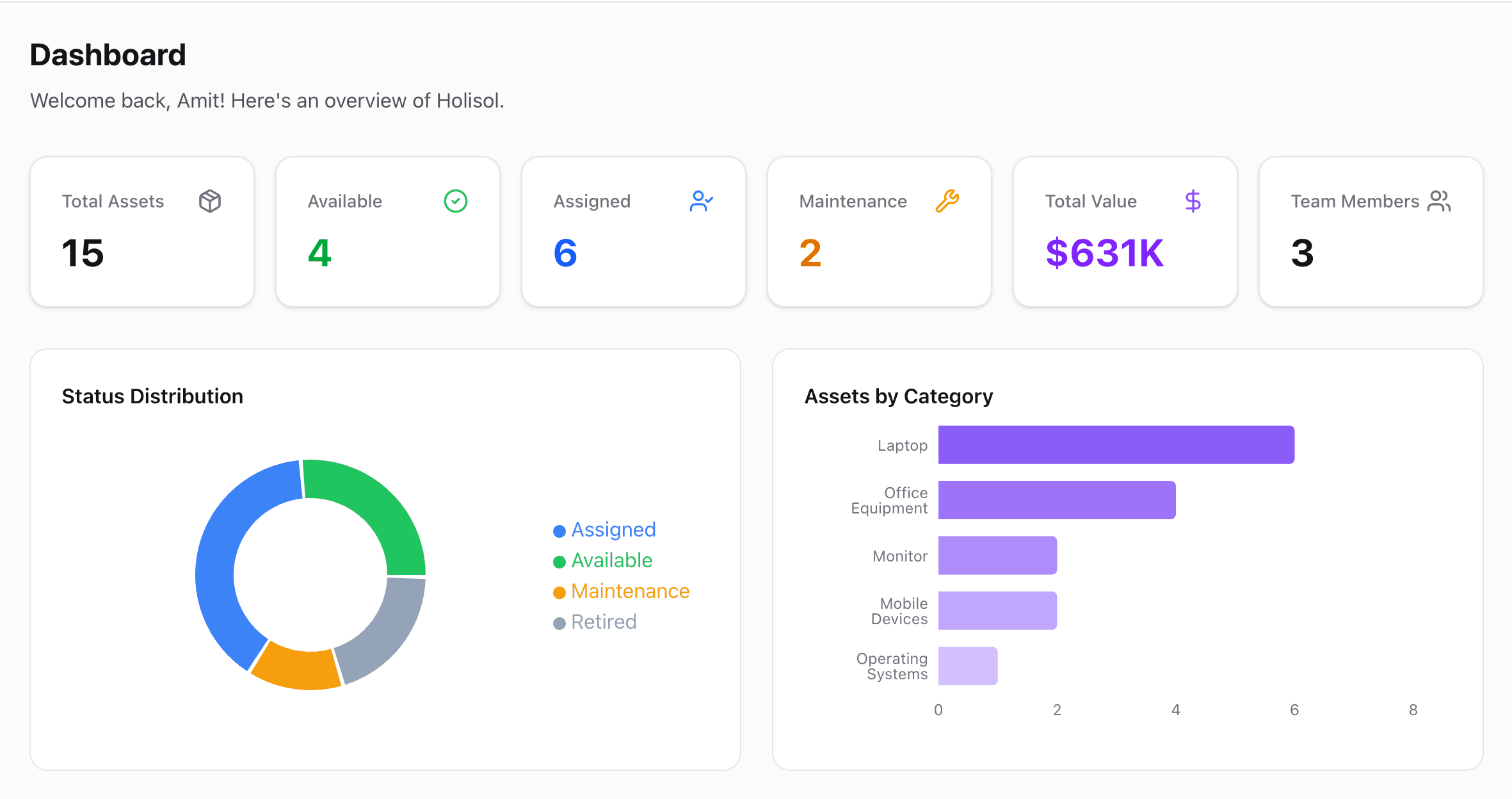
A live overview of status, condition, and what needs attention.
- Status, category, and condition charts
- Warranty expiry alerts before it's too late
- Action center for items needing attention
- Workspace-wide activity audit trail
Scan. Track. Done.
Every asset gets a printable QR label. Point any phone camera at it to pull up the asset instantly — right in the browser, nothing to install.
- Instant QR & barcode lookup
- Assign or unassign right from the scan screen
- Printable QR labels for every asset
- Works in any mobile browser — no app needed

Frequently Asked Questions
We already track assets in a spreadsheet. How do we move over?
Use the built-in CSV importer. Download the template, fill it from your existing sheet, and upload. Every row is validated before anything is written, so bad data never lands in your workspace.
Is our data secure?
Each workspace's data is fully isolated — every query and every page is scoped to your workspace and checked against your access. Sign-in is handled by Clerk, so passwords never touch our servers.
What does it cost?
AssetLane is free to use while in early access — no credit card required. Paid plans will come later, with clear notice before anything changes.
Can my team use it too?
Yes. Invite teammates by email and set their role — Admin, Manager, or User — to control who can manage assets, categories, and settings.